Quick start
- Enter the length and width of one rectangular section in feet.
- Convert inches to decimal feet before entering a mixed measurement, such as 9 ft 6 in becoming 9.5 ft.
- Use quantity only when the same rectangle repeats exactly, such as two matching walls or three identical panels.
- Calculate once for each different-size room or section, then add those results separately.
Best uses
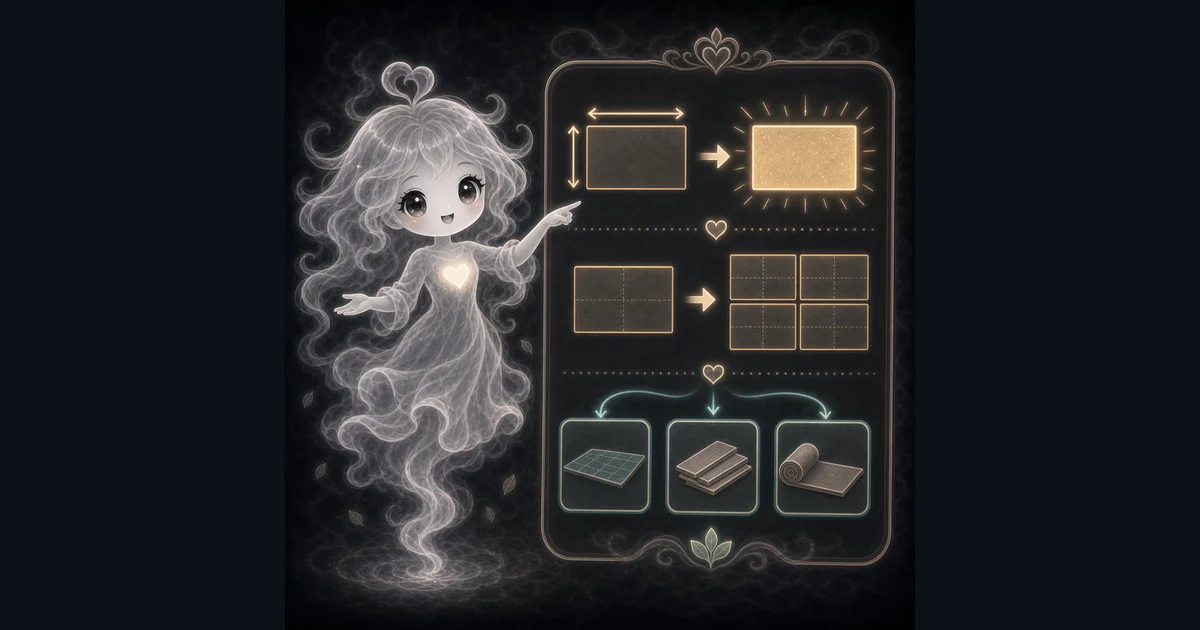
Use this guide when you are measuring a rectangular space, splitting an irregular space into rectangles, or checking a rough project area before moving to a material-specific calculator.
- Find the area of a room, wall, garden bed, panel, or floor section.
- Multiply one section by quantity for repeated panels or rooms.
- Convert square feet to square yards and square meters.
- Split irregular rooms into rectangles and total the pieces.
What this calculator is solving
The Square Footage Calculator turns a rectangular measurement into square feet, square yards, and square meters. It is useful for rooms, floors, walls, panels, garden beds, closets, and repeated same-size sections.
Match each input label on the calculator to the length in feet, width in feet, and quantity of identical rectangles from the same room, wall, panel, bed, or section.
The formula in plain language
In plain language: The calculator multiplies length in feet by width in feet for one rectangle, then multiplies by quantity for repeated sections. The examples on the page are there so you can compare your inputs with a square footage example before copying the answer.
The math is square feet = length in feet x width in feet x quantity. The guide examples keep every measurement in feet first, then use square yards = square feet / 9 and square meters = square feet / 10.7639 for comparison.
How to read the answer
Read total square footage first because that is the measured area. Use each-item area when you are checking one repeated wall or panel, and use square yards or square meters only when a product, plan, or quote uses those units.
- Total square feet is the main measured area answer.
- Each item shows the square footage of one rectangle before quantity is applied.
- Square yards helps when carpet, fabric, or yard-based material is quoted that way.
- Square meters helps when a product sheet, plan, or assignment uses metric area.
Common mistakes to avoid
Most square-footage mistakes come from mixing inches and feet, using quantity for different-size rooms, treating linear feet like area, or forgetting that material orders usually need waste, openings, and product coverage rules.
- Do not enter inches as whole feet. Six inches is 0.5 ft, not 6 ft.
- Do not use quantity for different-size rooms, walls, or panels.
- Do not use a rectangle formula for an L-shaped room without splitting it into rectangles first.
- Do not treat square footage as the final purchase amount for flooring, tile, paint, wallpaper, or sod.
- Check whether product coverage is listed per box, per roll, per gallon, per square, or per pallet.
Example: a 12 ft by 10 ft bedroom
For a simple bedroom, enter 12 for length, 10 for width, and 1 for quantity. The result is 120 ft2 because 12 x 10 x 1 = 120.
That 120 ft2 is the measured floor footprint. If you are ordering flooring, you still need the product coverage, box rounding, cut waste, layout direction, and any installer guidance before you buy.
How to handle inches
The calculator asks for feet, so mixed measurements need to become decimal feet first. Divide inches by 12, then add that decimal to the feet.
For example, 9 ft 6 in becomes 9.5 ft because 6 / 12 = 0.5. A 9.5 ft by 10.25 ft section is 97.375 ft2 before any waste or product rounding.
When quantity helps
Quantity is useful when the same rectangle repeats. Two identical 12 ft by 8 ft walls are 12 x 8 x 2 = 192 ft2. Three 8 ft by 4 ft panels are 96 ft2.
If the walls, panels, rooms, or garden beds are different sizes, calculate each one separately. Quantity is not a shortcut for a mixed list of measurements.
Irregular rooms and openings
For an L-shaped room, split the shape into rectangles, calculate each rectangle, and add the square footage. This is usually more reliable than guessing one oversized rectangle and trying to subtract later.
For wall projects, calculate the wall rectangle first, then subtract doors, windows, or other openings when the material calls for it. Floor area usually starts with the floor footprint instead of door or window openings.
Square footage is not the whole material order
Square footage is the measured area. A real order may need extra material for cuts, breakage, pattern matching, overlap, room shape, stairs, seams, texture, and product coverage rules.
Use this page to get the area, then move to a material-specific calculator when you need boxes, gallons, rolls, pallets, or waste percent.
Square feet, square yards, and square meters
The main answer is square feet because the inputs are feet. Square yards divide that area by 9 because one square yard is 3 ft by 3 ft. Square meters divide by about 10.7639 because one square meter is about 10.7639 ft2.
Those conversions are for reading and comparing area. They do not add waste, change a product coverage rule, or turn a floor measurement into wall material by themselves.
Research and references
These references help check the measurements, units, limits, or safety notes used in this guide.
Worked examples for Square Footage Calculator
120 ft2
96 ft2
315 ft2
30 ft2
192 ft2
72 ft2
97.375 ft2
FAQ in plain language
When should I use the Square Footage Calculator?
Use it when your task matches one of these common needs: Find the area of a room, wall, garden bed, panel, or floor section. Multiply one section by quantity for repeated panels or rooms. It works best when you already know the length in feet, width in feet, and quantity of identical rectangles you want to total.
What is the Square Footage Calculator doing with my inputs?
In plain language: The calculator multiplies length in feet by width in feet for one rectangle, then multiplies by quantity for repeated sections. The examples on the page are there so you can compare your inputs with a square footage example before copying the answer.
What do the main Square Footage Calculator inputs mean?
Length in feet: Use the longer side of one rectangle, converted to feet. For example, 9 ft 6 in becomes 9.5 feet. Width in feet: Use the other side of the same rectangle in feet. Keep length and width in the same unit before multiplying. Quantity: Use this for repeated equal rectangles, such as three panels. For different room sizes, calculate each rectangle separately and add the results. Square-foot result: This is area, not linear length. The page also shows square yards and square meters for comparison.
How should I read the Square Footage Calculator answer?
Read the headline answer, then check the supporting lines and examples to understand how the calculator got there. If one input changes, rerun the tool and compare the new answer instead of guessing.
What should I double-check before trusting the answer?
For real material orders, add waste and account for openings, cuts, pattern matching, irregular shapes, stairs, and product coverage rules. Also check whether your measurements are in feet or inches, whether the shape needs to be split into rectangles, whether openings should be subtracted, and whether your material needs extra waste.
How do I calculate square footage?
Multiply length in feet by width in feet. If the same rectangle repeats, multiply that area by quantity. A 12 ft by 10 ft room is 120 ft2 because 12 x 10 = 120.
What is the difference between square feet and linear feet?
Square feet measure area, such as a floor or wall surface. Linear feet measure one straight length. A 10 ft board is 10 linear feet, but a 10 ft by 4 ft panel covers 40 ft2.
Related tools
- Area CalculatorCalculate flat-shape area for rectangles, triangles, circles, trapezoids, and parallelograms.
- Flooring CalculatorEstimate flooring boxes, adjusted square feet, coverage ordered, and optional material cost.
- Paint CalculatorEstimate interior wall paint gallons from room size, openings, coats, coverage, and extra percent.
- Wallpaper CalculatorFigure out how many wallpaper rolls to buy, plus rough material cost when you add a roll price.
Keep exploring
If this guide is close but not exact, these links keep you near the same kind of problem.
- CalculatorsBrowse the full category for related tools that help with the same job.
- All free toolsSearch the complete Access Free Tools library by task, category, or tool name.
- All calculator and utility guidesFind more plain-language examples, formulas, mistakes, and result explanations.
- Free calculator resourcesStart here when you are not sure which calculator page fits.
Privacy and copying results
Recent answers stay visible only while you work in the current browser tab. They are not sent to a server.
Use Copy answer when you want to save the inputs and result in notes, homework, a message, or a project list. Check the units, labels, and limits before copying.