Quick start
- Choose rectangular prism, cube, cylinder, sphere, or cone.
- Enter the dimensions that shape asks for, such as length, width, height, side length, or radius.
- Use one length unit for every measurement before you calculate.
- Check radius carefully for round shapes. If you measured diameter, divide it by 2 first.
- Read the square-unit result, then add waste or overlap if you are estimating real material.
Best uses
Use the calculator when the outside covering matters more than the space inside the object. These are the jobs where surface area is the number you actually need.
- Find the outside area before wrapping, painting, or covering a simple solid.
- Compare formulas for rectangular prisms, cubes, cylinders, spheres, and cones.
- Check square-unit answers for geometry homework.
- Estimate material coverage for boxes, cans, balls, and cones before adding waste or overlap.
Quick answer
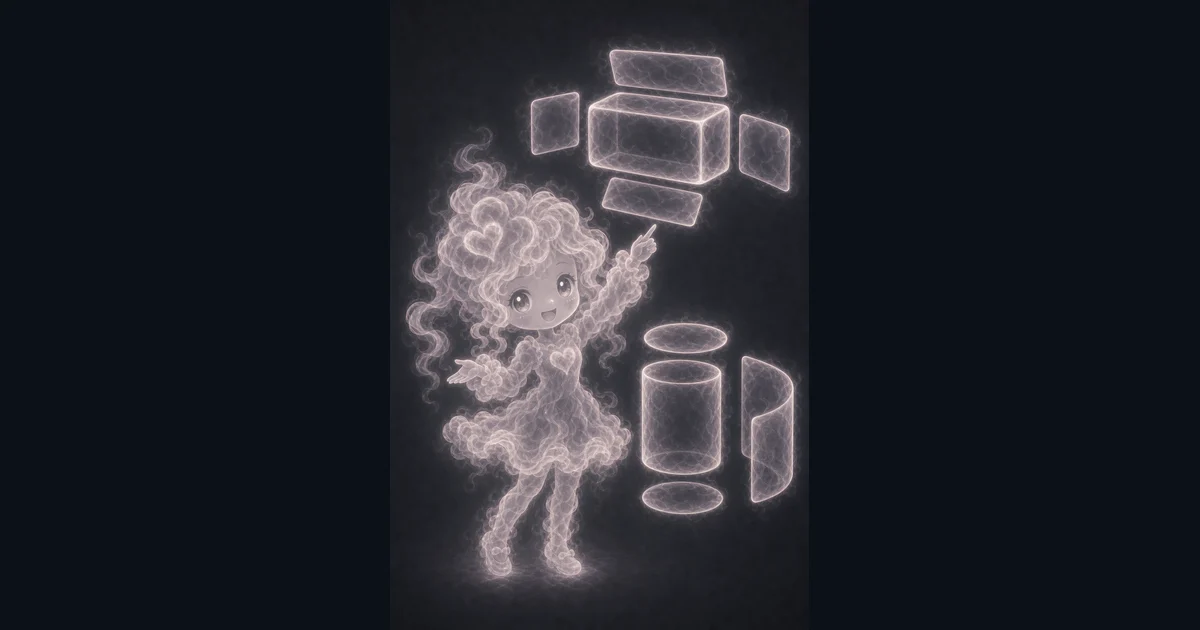
Surface area measures the outside of a three-dimensional shape. A closed rectangular box, a cube, a can-shaped cylinder, a ball-shaped sphere, and a cone each use a different formula, but every answer is still an outside-area answer.
For example, a rectangular prism that is 8 units long, 5 units wide, and 3 units high has 158 square units of surface area. That is the outside covering, not the amount of space the box can hold.
Choosing the right shape mode
Use rectangular prism mode for boxes, rooms, cartons, and solid blocks where length, width, and height can be measured separately. Use cube mode only when all six faces have the same side length.
Use cylinder mode for can-like objects, sphere mode for ball-like objects, and cone mode for cone shapes. The calculator treats these as clean standard solids, so it does not know about dents, handles, lips, holes, seams, or missing faces.
What the inputs mean
Length, width, height, and side length are straight length measurements. Radius is the distance from the center of a circle to the outside edge. Diameter is the full distance across the circle, so diameter is twice the radius.
Cylinder, sphere, and cone modes ask for radius, not diameter. If you enter diameter as radius, the answer can become much too large because the formulas square the radius.
Cone mode asks for radius and vertical height. The calculator then finds the slant height before using the cone surface area formula.
Square units and formulas
Surface area is reported in square units because it measures a covering. If your inputs are inches, the answer is in in^2. If your inputs are centimeters, the answer is in cm^2.
The rectangular prism formula is SA = 2lw + 2lh + 2wh. Cube mode uses SA = 6s^2. Cylinder mode uses SA = 2pi r^2 + 2pi rh. Sphere mode uses SA = 4pi r^2. Cone mode uses SA = pi r(r + l), where l is the slant height.
Example: painted box check
Say you have a closed box that is 12 in by 8 in by 6 in. Rectangular prism mode uses 2lw + 2lh + 2wh, so the outside area is 2(12 x 8) + 2(12 x 6) + 2(8 x 6).
That gives 192 + 144 + 96 = 432 in^2 before waste. If you are buying paint, wrap, paper, or covering material, that 432 in^2 is the clean geometry estimate. Real projects usually need extra for overlap, cuts, seams, texture, or mistakes.
Common mistakes to check
The biggest mistake is using volume when you need surface area. Volume tells you capacity in cubic units. Surface area tells you outside covering in square units.
The second big mistake is mixing units. A box entered as 12 inches by 8 inches by 0.5 feet will not be meaningful unless you convert 0.5 feet to 6 inches first.
- For round shapes, enter radius instead of diameter.
- For open-top boxes, subtract the missing top face from the closed rectangular-prism result.
- For material orders, add waste after the calculator gives the clean surface area.
- For real construction, packaging, safety, or code decisions, treat this as planning math, not approval.
When to use another calculator
Use the Area Calculator for flat 2D shapes such as rectangles, triangles, circles, trapezoids, and parallelograms. Use the Volume Calculator when you need cubic-unit capacity.
The Circle Calculator is better when you are switching between radius, diameter, circumference, and circle area before you use a cylinder, cone, or sphere formula.
Sources used for this guide
The calculator uses standard solid-geometry formulas and square-unit labels. These references are useful if you want to compare formula wording or unit guidance.
Worked examples for Surface Area Calculator
158 square units
216 square units
201.06192983 square units
245.04422698 square units
75.39822369 square units
432 in^2 before waste
FAQ in plain language
Which shapes does the Surface Area Calculator support?
It supports rectangular prisms, cubes, cylinders, spheres, and cones. Each mode asks only for the measurements needed for that shape.
Is surface area different from volume?
Yes. Surface area measures the outside covering in square units. Volume measures inside space in cubic units.
Should I enter radius or diameter?
Enter radius for cylinders, spheres, and cones. If you measured diameter, divide it by 2 first before typing the value.
How do I handle an open-top box?
The built-in rectangular prism mode calculates a closed box. For an open-top box, calculate the closed box first, then subtract length times width for the missing top face.
Can I use this for paint, wrap, or material estimates?
Yes for a first clean estimate. Add extra for waste, seams, overlap, texture, openings, and any real object details the formula does not include.
Why is the result in square units?
Surface area measures a covering, so the answer is squared. Inch inputs give in^2, centimeter inputs give cm^2, and foot inputs give ft^2.
Is my calculation history private?
Yes. Recent surface area answers stay only in the current browser tab while you use the page. They are not sent to a server.
Related tools
- Volume CalculatorFind cubic volume for boxes, cubes, cylinders, spheres, and cones.
- Area CalculatorCalculate flat-shape area for rectangles, triangles, circles, trapezoids, and parallelograms.
- Circle CalculatorFind radius, diameter, circumference, and area from one circle measurement.
Keep exploring
If the surface-area result makes you realize you need a flat shape, inside capacity, or circle measurement first, these nearby tools keep the math in the same family.
- CalculatorsBrowse the full category for related tools that help with the same job.
- All free toolsSearch the complete Access Free Tools library by task, category, or tool name.
- All calculator and utility guidesFind more plain-language examples, formulas, mistakes, and result explanations.
- Free calculator resourcesStart here when you are not sure which calculator page fits.
Privacy and copying results
Recent answers stay visible only while you work in the current browser tab. They are not sent to a server.
Use Copy answer when you want to save the inputs and result in notes, homework, a message, or a project list. Check the units, labels, and limits before copying.