Quick start
- Choose Encode when starting with readable text.
- Choose Decode when starting with Base64.
- Paste the exact text into the input field and run the tool.
Best uses
Start here if one of these sounds like your job. The examples below show which inputs matter most.
- Encode a short text value into Base64.
- Decode a Base64 string back to readable text.
- Check API examples, headers, payloads, and data snippets without pasting real secrets.
- Work locally without sending the text to a server.
What this tool helps with
The Base64 tool encodes readable text as UTF-8 bytes before converting those bytes to Base64. It can also decode Base64 back into UTF-8 text when the decoded bytes are valid readable text.
Match each input label on the tool to the mode, the exact text or Base64 string, and whether you expect readable UTF-8 text back.
The logic in plain language
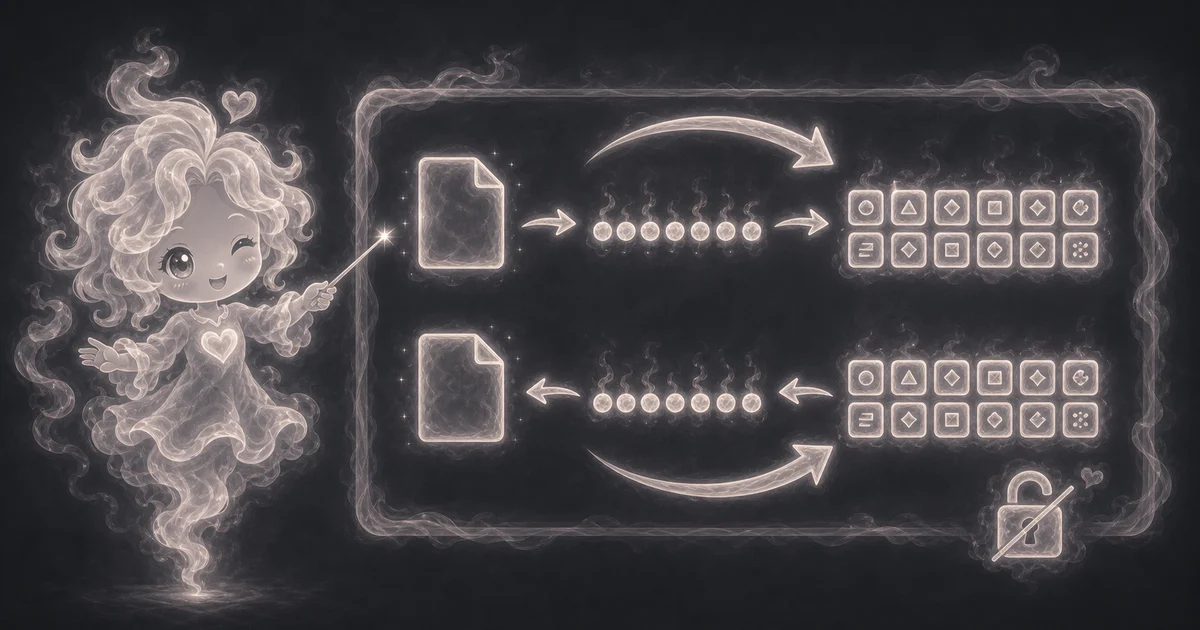
In plain language: Base64 takes bytes, groups them into 6-bit chunks, maps each chunk to the A-Z, a-z, 0-9, +, and / alphabet, and uses = padding when the byte length does not fill the last group. This page encodes text as UTF-8 bytes first and decodes Base64 back to UTF-8 text when the bytes are valid text. The examples on the page are there so you can compare your inputs with a filled-out example before copying the answer.
Base64 works on bytes. The tool turns text into UTF-8 bytes, groups those bytes into 6-bit chunks, maps each chunk to the Base64 alphabet, and adds = padding when the final chunk is short.
How to read the answer
Read the converted text first, then check the input length, output length, and mode. A small change in spaces, line breaks, or punctuation can produce a different Base64 string.
- The main answer is the encoded or decoded text.
- Input and output length help you check whether the conversion looks reasonable.
- Mode confirms whether you encoded or decoded.
Common mistakes to avoid
Most Base64 mistakes come from treating it like encryption, pasting real secrets, copying an extra space, using URL-safe Base64 without converting it, or decoding bytes that are not valid UTF-8 text.
- Do not treat Base64 as encryption.
- Do not paste secrets into tools unless you trust the environment.
- Decode mode expects Base64 that represents valid UTF-8 text.
Quick encode and decode example
If you choose Encode and enter `Hello tools`, the tool returns `SGVsbG8gdG9vbHM=`. If you switch to Decode and enter `SGVsbG8gdG9vbHM=`, it returns `Hello tools` again.
That round trip is a good sanity check. If your decoded text has an extra space, a missing character, or line breaks you did not expect, copy the input again and check the exact characters.
Why padding appears
Base64 reads bytes in groups and writes printable characters. When the last group is not full, the result may end with one or two `=` characters. For example, `Hi` encodes to `SGk=`.
Padding is not a warning and it is not encryption. It is just a way to finish the final Base64 group cleanly.
When decoding fails
Decode problems usually come from copied spaces, missing padding, URL-safe Base64 characters, invalid symbols, or data that was Base64 but was not text in the first place.
This page is meant for text. Binary files need a file-aware encoder with clear size limits and memory behavior.
Base64 is not secret
Base64 does not use a password or key. Anyone who has the Base64 string can decode it unless the original data was encrypted before it was encoded.
Use fake examples for API docs, headers, and Basic Auth practice. Do not paste real passwords, API keys, tokens, cookies, or private files into a browser tool unless you fully understand the risk.
Research and references
These references help check the tool logic, format choices, platform limits, or safety notes.
Worked examples for Base64 Encode / Decode
SGVsbG8gdG9vbHM=
Hello tools
SGk=
FAQ in plain language
When should I use the Base64 Encode / Decode?
Use it when your task matches one of these common needs: Encode a short text value into Base64. Decode a Base64 string back to readable text. It works best when you already know the text, code, URL, mode, format, or technical setting the page asks for.
What is the Base64 Encode / Decode doing with my inputs?
In plain language: Base64 takes bytes, groups them into 6-bit chunks, maps each chunk to the A-Z, a-z, 0-9, +, and / alphabet, and uses = padding when the byte length does not fill the last group. This page encodes text as UTF-8 bytes first and decodes Base64 back to UTF-8 text when the bytes are valid text. The examples on the page are there so you can compare your inputs with a filled-out example before copying the answer.
What do the main Base64 Encode / Decode inputs mean?
Mode: Choose Encode when you have readable text and want Base64. Choose Decode when you already have Base64 and want readable text. Input text: Paste the exact text or Base64 string you want to convert. Spaces, line breaks, and punctuation count. UTF-8 text: Normal browser text is turned into UTF-8 bytes before Base64 encoding, then decoded back to UTF-8 when possible. Padding: Trailing = characters help finish the last Base64 group when the input byte count is not a perfect fit.
How should I read the Base64 Encode / Decode answer?
Read the output next to your original input. If the tool changes format, units, encoding, spacing, or capitalization, compare a small sample before copying the whole result into another app.
What should I double-check before trusting the answer?
Base64 is encoding, not encryption. Anyone can decode it, and invalid Base64 or binary-only bytes may not turn into readable UTF-8 text. Do not paste passwords, API keys, tokens, private files, or sensitive data. Also check the selected mode, input format, encoding, and whether the text includes private keys, passwords, or sensitive data.
Is Base64 encryption?
No. Base64 only changes bytes into printable text. It does not use a key, and anyone with the Base64 string can decode it back unless the original bytes were already encrypted somewhere else.
Why does Base64 sometimes end with =?
The = sign is padding. It fills the final Base64 group when the input byte count does not line up cleanly with the 6-bit chunks Base64 uses.
Related tools
- URL Encode / DecodePercent-encode URL component text or decode percent-encoded text.
- Hex CalculatorCalculate hex arithmetic, AND, OR, XOR, and base conversions with decimal and binary checks.
- Hash GeneratorGenerate SHA-256, SHA-384, or SHA-512 text digests in hexadecimal format.
Keep exploring
If this guide is close but not exact, these links keep you near the same kind of problem.
- Developer ToolsBrowse the full category for related tools that help with the same job.
- All free toolsSearch the complete Access Free Tools library by task, category, or tool name.
- All tool and utility guidesFind more plain-language examples, logic notes, mistakes, and result explanations.
- Free tool resourcesStart here when you are not sure which tool page fits.
Privacy and copying results
Recent answers stay visible only while you work in the current browser tab. They are not sent to a server.
Use Copy answer when you want to save the inputs and result in notes, homework, a message, or a project list. Check the units, labels, and limits before copying.