Quick start
- Enter the main room length and width in feet. Measure closets, hallways, landings, and stairs separately if they need carpet too.
- Enter the roll width from the carpet product. Many rooms are planned around a 12 foot roll, but some products are wider.
- Add waste for trimming, seams, closets, pile direction, pattern matching, and installer layout.
Best uses
Start here if one of these sounds like your job. The examples below show which inputs matter most.
- Estimate carpet for a simple rectangular room.
- Convert square feet into square yards.
- Estimate linear feet from common roll width.
- Add waste before talking with an installer.
What this calculator is solving
The Carpet Calculator estimates carpet material for one simple room. It reports adjusted square feet, square yards, and approximate linear feet from the roll width you enter.
Match each input label on the calculator to the real measurement, amount, rate, unit, or setting for your job.
The formula in plain language
In plain language: The calculator uses floor area = length x width, adjusted area = floor area x (1 + waste percent / 100), square yards = adjusted area / 9, and approximate linear feet = adjusted area / roll width. The examples on the page are there so you can compare your inputs with a carpet room example before copying the answer.
The example cards on the calculator page show a complete set of inputs and the kind of answer you should expect.
How to read the answer
Read the main result first. Then check the smaller lines for the totals, units, ranges, counts, or formula steps behind it.
- Square yards is the common carpet area unit. The calculator divides adjusted square feet by 9.
- Adjusted area includes the waste percentage.
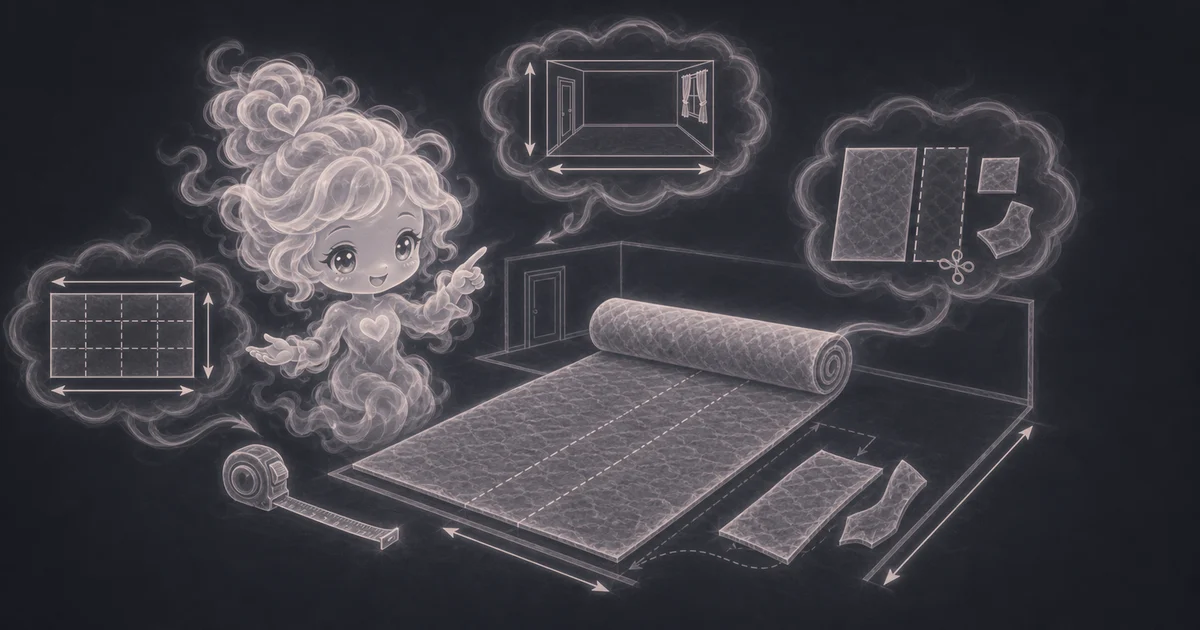
- Linear feet estimates how much length would be needed at the roll width entered. It is a planning number, not a cutting diagram.
- A 15 ft by 12 ft room with a 12 ft roll and 10% waste is 198 adjusted square feet, 22 square yards, and about 16.5 linear feet.
Common mistakes to avoid
If the answer looks strange, the most likely cause is a small input mismatch: a mixed unit, copied value, wrong mode, missing label, or result used for the wrong job.
- Do not rely on this for final carpet ordering when seams, pile direction, or pattern matching matter.
- Do not forget closets, doorways, stairs, landings, transitions, tack strips, padding, or removal costs.
- Ask the installer how they will lay out the roll before buying, especially when the room is wider than the roll.
Research and references
These references help check the measurements, units, limits, or safety notes used in this guide.
Worked examples for Carpet Calculator
22 sq yd and 16.5 linear ft
43.8 sq yd and 32.9 linear ft
13.2 sq yd and 9.9 linear ft
Installer seam check needed
FAQ in plain language
When should I use the Carpet Calculator?
Use it when your task matches one of these common needs: Estimate carpet for a simple rectangular room. Convert square feet into square yards. It works best when you already know room length, room width, roll width, and waste percent.
What is the Carpet Calculator doing with my inputs?
In plain language: The calculator uses floor area = length x width, adjusted area = floor area x (1 + waste percent / 100), square yards = adjusted area / 9, and approximate linear feet = adjusted area / roll width. The examples on the page are there so you can compare your inputs with a carpet room example before copying the answer.
What do the main Carpet Calculator inputs mean?
Room length and width: the simple rectangular floor area before closets, seams, or stairs are handled separately. Roll width: the carpet roll width from the product, commonly 12 feet for many carpets. Waste percent: extra carpet for trimming, seams, closets, pattern direction, and installer layout.
How should I read the Carpet Calculator answer?
Read the headline estimate first, then check the material, waste, coverage, and unit lines. For project tools, the supporting lines are often the difference between a rough idea and a list you can actually shop from.
What should I double-check before trusting the answer?
Carpet orders depend on seam placement, stairs, closets, hallways, doorway cuts, pile direction, pattern matching, roll width, tack strips, padding, transitions, dye lot, and installer layout. Also check whether the room needs more than one strip, whether the pile or pattern must run one direction, and whether closets, stairs, or hallways were measured separately.
How do I turn square feet into square yards for carpet?
Divide square feet by 9 because one square yard is 3 feet by 3 feet. A 180 square foot room is 20 square yards before waste, then 22 square yards with 10% waste.
Why does roll width matter?
Carpet comes from a fixed-width roll. A room that fits inside a 12 foot roll may need one piece, while a wider room may need seams or a different roll width. This calculator gives a simple roll-length estimate, not a full cutting diagram.
Related tools
- Flooring CalculatorEstimate flooring boxes, adjusted square feet, coverage ordered, and optional material cost.
- Tile CalculatorEstimate floor, wall, or shower tile count from square feet, tile size, and waste.
- Paint CalculatorEstimate interior wall paint gallons from room size, openings, coats, coverage, and extra percent.
Keep exploring
If this guide is close but not exact, these links keep you near the same kind of problem.
- Home & ProjectsBrowse the full category for related tools that help with the same job.
- All free toolsSearch the complete Access Free Tools library by task, category, or tool name.
- All calculator and utility guidesFind more plain-language examples, formulas, mistakes, and result explanations.
- Free calculator resourcesStart here when you are not sure which calculator page fits.
Privacy and copying results
Recent answers stay visible only while you work in the current browser tab. They are not sent to a server.
Use Copy answer when you want to save the inputs and result in notes, homework, a message, or a project list. Check the units, labels, and limits before copying.