Quick start
- Enter the ingredient name, original amount, and unit from one recipe line, such as 2 cups flour, 300 g sugar, or 3 eggs.
- Enter how many servings the original recipe makes before scaling.
- Enter how many servings you want to make now, then repeat the same process for each ingredient line you care about.
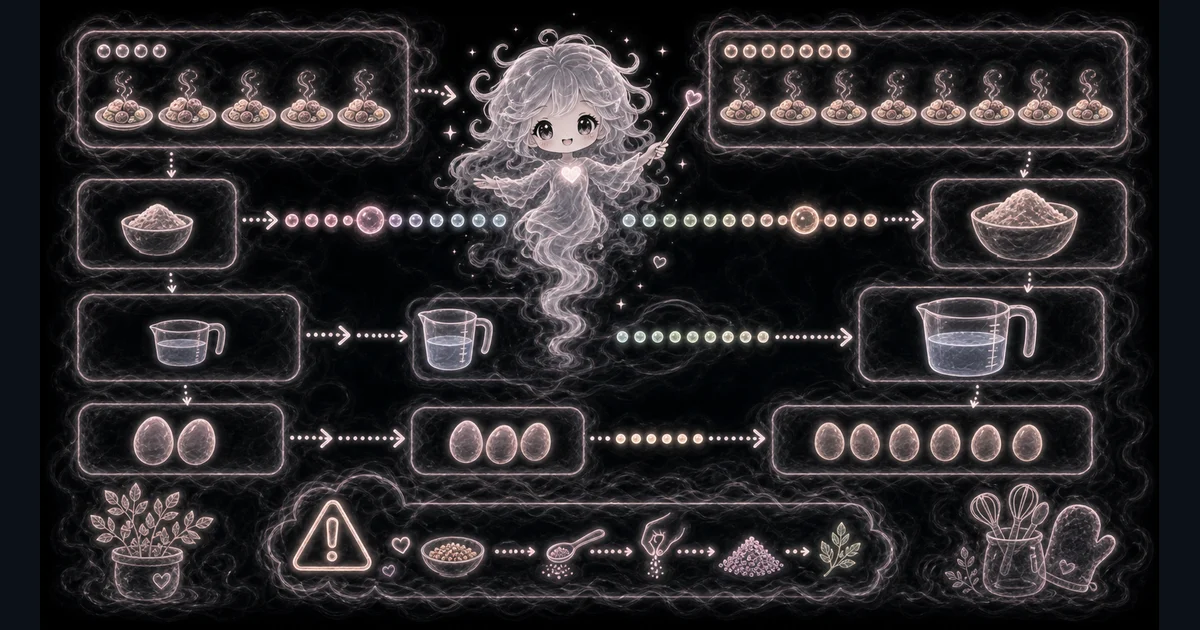
Best uses
Start here if one of these sounds like your job. The examples below show which inputs matter most.
- Resize a recipe from 4 servings to 10 servings.
- Make a half batch when you do not need the full recipe.
- Scale party trays, meal prep, or bake sale batches one ingredient line at a time.
- Check decimal answers before rounding eggs, packets, cans, or small teaspoons.
What this tool helps with
The Recipe Scaler helps when a recipe makes the wrong number of servings for your plan. It works one ingredient line at a time so you can see the scale factor and catch mistakes before cooking.
Match each input label on the tool to the ingredient name, original amount, unit, original servings, and desired servings from the recipe you are changing.
The logic in plain language
In plain language: Scale factor = desired servings / original servings. Scaled amount = original ingredient amount x scale factor. The examples on the page are there so you can compare your inputs with a filled-out example before copying the answer.
Scale factor = desired servings / original servings. Scaled amount = original ingredient amount x scale factor. For 2 cups of flour from 4 servings to 10 servings, the scale factor is 10 / 4 = 2.5, so the scaled amount is 5 cups.
How to read the answer
Read the scaled amount as the exact math answer first. Then decide whether a decimal answer needs kitchen judgment before you round it.
- The main answer is the scaled ingredient amount in the same unit you entered.
- Scale factor tells you how much bigger or smaller the batch is. A factor above 1 makes a bigger batch; a factor below 1 makes a smaller batch.
- Desired servings confirms the target serving count used in the math.
Common mistakes to avoid
Recipe scaling mistakes usually come from rounding too early, treating every ingredient as perfectly scalable, or changing the batch size without checking pan depth and cook time.
- Do not assume seasonings, yeast, salt, leavening, gelatin, extracts, or thickener always scale perfectly.
- Do not round eggs, packets, cans, or small teaspoons without thinking about the recipe.
- Do not forget that pan size, food depth, stirring, doneness cues, and cook time may need adjustment when the batch size changes.
- Do not use cups-to-grams guesses when exact baking measurements matter. Convert or weigh first when accuracy matters.
Example: scale dinner from 4 servings to 10
If the recipe calls for 2 cups of flour and makes 4 servings, but you want 10 servings, the scale factor is 10 / 4 = 2.5.
Multiply 2 cups by 2.5 and the answer is 5 cups flour. The unit stays cups because the tool scales the amount; it does not convert the measurement unit.
Examples for half batches and awkward ingredients
A 300 g sugar line from 12 servings to 6 servings has a scale factor of 0.5, so the scaled amount is 150 g sugar.
A 3 egg line from 8 servings to 20 servings has a scale factor of 2.5, so the exact result is 7.5 eggs before rounding. That is a prompt to think, not a command to crack half an egg in every recipe.
How to handle units and rounding
The scaler keeps the unit you type. If you enter cups, the answer is in cups. If you enter grams, the answer is in grams. Use the cooking measurement converter when you also need cups to grams, tablespoons to cups, or ounces to pounds.
Round late. First copy the exact scaled amount, then decide whether the recipe can tolerate rounding. Dry baking ingredients, leavening, salt, and extracts usually need more care than chopped vegetables or soup broth.
What the calculator does not decide
A bigger batch can change pan depth, surface area, stirring, cooling, browning, and cook time. A smaller batch can cook faster or dry out if the pan is too wide.
Use the calculator for the ingredient math, then follow the recipe signs of doneness and food-safety guidance when temperature or doneness matters.
Useful related checks
Recipe scaling answers the ingredient-amount question. Use nearby kitchen tools when the next question is unit conversion, ingredient cost, cost per serving, or pan-size scaling.
Research and references
These references help check the tool logic, format choices, platform limits, or safety notes.
Worked examples for Recipe Scaler
Scale factor 2.5, 5 cups flour
Scale factor 0.5, 150 g sugar
Scale factor 2.5, 7.5 eggs before rounding
FAQ in plain language
When should I use the Recipe Scaler?
Use it when your task matches one of these common needs: Resize a recipe from 4 servings to 10 servings. Make a half batch when you do not need the full recipe. It works best when you already know the measurements, amounts, units, or options the page asks for.
What is the Recipe Scaler doing with my inputs?
In plain language: Scale factor = desired servings / original servings. Scaled amount = original ingredient amount x scale factor. The examples on the page are there so you can compare your inputs with a filled-out example before copying the answer.
What do the main Recipe Scaler inputs mean?
Ingredient: The ingredient line you are scaling, such as flour, sugar, eggs, butter, sauce, or oats. Original servings: How many servings the recipe normally makes before scaling. Desired servings: How many servings you want to make now. Original amount: The numeric amount from one ingredient line in the recipe. Unit: The recipe unit to keep with the answer, such as cups, grams, tablespoons, ounces, eggs, or packets.
How should I read the Recipe Scaler answer?
Read the headline answer, then check the smaller lines beside it. For everyday tools, those lines usually show the distance, time, cost, units, or setting that made the answer change.
What should I double-check before trusting the answer?
Ingredient math scales cleanly, but eggs, packets, salt, spices, yeast, leavening, gelatin, thickeners, pan size, and cook time may need real kitchen judgment. Also check the unit, scale, mode, and result limit because small input changes can change the answer.
Why does the tool scale one ingredient at a time?
It keeps the math easy to check. Enter each important ingredient line from the recipe, copy the scaled amount, then repeat for the next line. This avoids hiding mistakes in a giant pasted recipe table.
Do seasonings scale perfectly?
Not always. Salt, hot spices, yeast, gelatin, thickeners, and extracts can taste too strong or behave differently when scaled. Use the answer as a starting point and adjust carefully.
Related tools
- Cooking Measurement ConverterConvert recipe units, including approximate volume-to-weight conversions with ingredient density.
- Ingredient Cost CalculatorEstimate how much one recipe ingredient costs from package price and amount used.
- Cost Per Serving CalculatorSplit a recipe, meal prep, or food batch cost across the number of servings.
Keep exploring
If this guide is close but not exact, these links keep you near the same kind of problem.
- Everyday ToolsBrowse the full category for related tools that help with the same job.
- All free toolsSearch the complete Access Free Tools library by task, category, or tool name.
- All tool and utility guidesFind more plain-language examples, logic notes, mistakes, and result explanations.
- Free tool resourcesStart here when you are not sure which tool page fits.
Privacy and copying results
Recent answers stay visible only while you work in the current browser tab. They are not sent to a server.
Use Copy answer when you want to save the inputs and result in notes, homework, a message, or a project list. Check the units, labels, and limits before copying.