Quick start
- Choose Bed dimensions for a rectangle, Round bed for a simple circle, or Known area when you already calculated square feet.
- Measure inside the bed walls. Enter the number of identical beds when more than one uses the same size and depth.
- Enter only the depth still to fill. Measure from the current soil surface to the planned finish level.
- Copy the cubic-foot bag size from the product label. Add extra percent only when your supplier, project, or past settling gives you a reason.
Best uses
Use this method for a new raised bed, a measured top-off layer, several identical beds, a simple round planter, or a bulk-versus-bag comparison.
- Estimate one or several rectangular raised beds from inside dimensions.
- Estimate a simple round bed or planter from inside diameter.
- Convert known square feet and fill depth into cubic yards, cubic feet, and litres.
- Use the cubic-foot volume printed on the exact bag for a whole-bag estimate.
What this calculator is solving
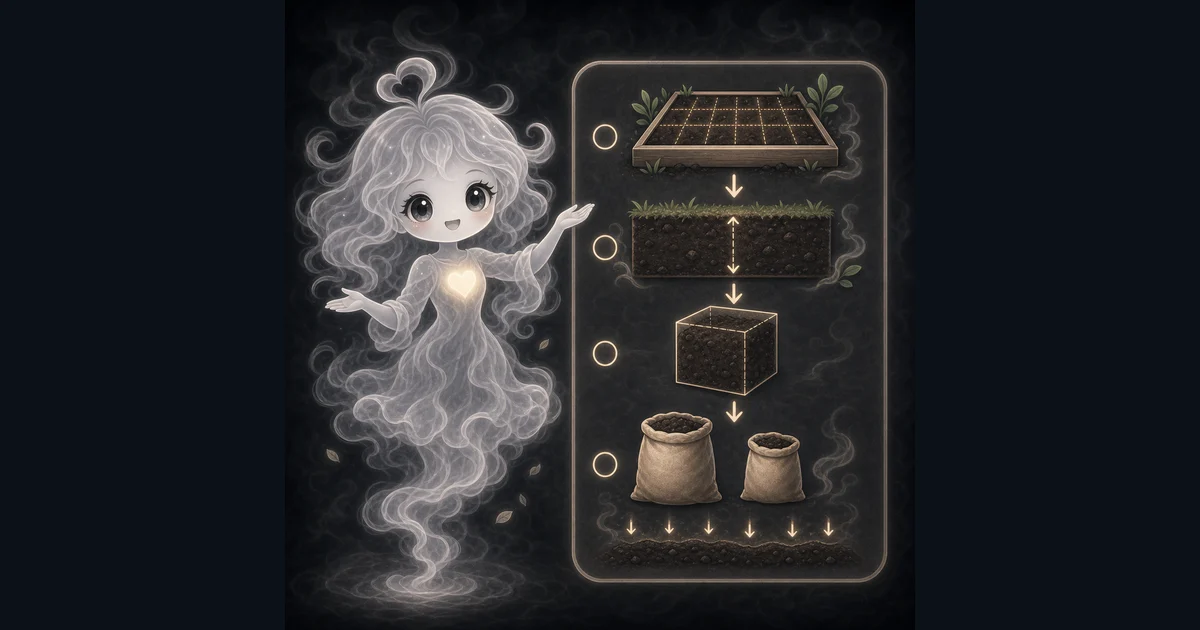
This guide shows how to measure the space you still need to fill, convert it to soil volume, and compare bulk delivery with the exact bag size at the store.
Match each input label on the calculator to inside bed dimensions or known square feet, the number of identical beds, the depth still to fill, the exact bag volume, and any extra percentage you choose.
The formula in plain language
In plain language: Total area = one-bed area x number of beds. Rectangular area = length x width. Round area = pi x (diameter / 2)^2. Cubic feet = total area x fill depth / 12 x (1 + extra percent / 100). Cubic yards = cubic feet / 27. Bags = ceiling(cubic feet / bag size). The examples on the page are there so you can compare your inputs with a 4 x 8 raised-bed example before copying the answer.
The calculator finds one-bed area, multiplies by the bed count and fill depth, adds the extra percentage, then converts cubic feet to cubic yards and litres. Bag count is the final cubic-foot volume divided by your bag size, rounded up.
How to read the answer
Use cubic yards for a bulk quote. Use cubic feet or litres to match a product label. The bag result is a whole-bag planning number for the size you entered.
- An 8 ft by 4 ft bed has 32 ft2 of inside area.
- At 12 inches deep, that area needs 32 ft3 before extra.
- With 10% extra, the result is 35.2 ft3, about 1.3 yd3 or 996.8 L.
- At 1.5 ft3 per bag, 35.2 divided by 1.5 is 23.47, so the calculator rounds up to 24 bags.
Common mistakes to avoid
Volume math cannot choose a soil mix. Existing soil, crops, drainage, compost, contamination risk, and soil-test results still decide what material belongs in the bed.
- Do not use outside dimensions when thick boards reduce the space inside the bed.
- Do not enter the wall height when an existing layer already fills part of the bed.
- Do not assume every bag contains 1.5 or 2 ft3. Read the exact label.
- Do not treat a simple round calculation as exact for a tapered pot.
- Do not turn the volume result into a compost, fertilizer, or soil-mix recommendation without checking the existing soil and local guidance.
Example: One 4 x 8 Raised Bed
Multiply 8 feet by 4 feet to get 32 square feet. A 12-inch fill depth is 1 foot, so the measured volume is 32 cubic feet.
The example adds 10%, which brings the plan to 35.2 cubic feet. Divide by 27 for about 1.3 cubic yards, or use the calculator's 996.8-litre conversion.
A 1.5-cubic-foot bag gives 23.47 bags before rounding. You cannot buy part of a sealed bag, so the result is 24 bags.
Measure Several Beds Or An Odd Shape
For identical beds, measure one and enter the number of beds. Four 3 x 8 ft beds filled 6 inches deep have 48 cubic feet of measured volume before any extra percentage.
For triangles, L-shapes, or mixed beds, calculate each area and add the square feet. Enter the total in Known area. Use Round bed only when a circle is a fair model for the inside shape.
Compare Bags, Bulk Yards, And Litres
A landscape supplier usually quotes bulk soil in cubic yards. Retail bags may use cubic feet or litres. The calculator keeps all three units tied to the same measured volume.
Compare the result with the exact product label, bulk delivery minimum, and the amount you can store. Bag count changes when you change the label size, even though the bed volume stays the same.
Volume Does Not Choose The Soil Mix
Illinois Extension supports length x width x height for raised-bed volume and notes that organic matter can decompose and settle. Oregon State Extension also says a new fill can sink over time, so re-measure a top-off instead of ordering the original full volume again.
Soil recipes vary by existing soil, drainage, crops, and local conditions. Oregon State researchers warn that too much compost can create nutrient problems, while University of Georgia Extension recommends testing a raised bed as its own growing area. Use the calculator for quantity and local soil guidance for composition.
Research and references
University Extension sources support the volume formula, raised-bed settling limits, and the need to base soil amendments on the bed and a soil test. NIST supports the unit conversions.
- University of Illinois Extension: Raised-bed volume and settling
- Oregon State University Extension: Soil mix and compost for raised beds
- Oregon State University Extension: Compost limits and soil testing
- University of Georgia Extension: Garden and raised-bed soil testing
- NIST: Guide for the Use of the International System of Units
Worked examples for Soil Calculator
35.2 ft3, 1.3 yd3, 996.8 L, and 24 bags
48 ft3, 1.78 yd3, and 24 bags
13.82 ft3, 0.51 yd3, and 10 bags
44 ft3, 1.63 yd3, and 22 bags
FAQ in plain language
When should I use the Soil Calculator?
Use it when your task matches one of these common needs: Estimate one or several rectangular raised beds from inside dimensions. Estimate a simple round bed or planter from inside diameter. It works best when you already know bed dimensions or known area, fill depth, number of identical beds, bag size, and extra percent.
What is the Soil Calculator doing with my inputs?
In plain language: Total area = one-bed area x number of beds. Rectangular area = length x width. Round area = pi x (diameter / 2)^2. Cubic feet = total area x fill depth / 12 x (1 + extra percent / 100). Cubic yards = cubic feet / 27. Bags = ceiling(cubic feet / bag size). The examples on the page are there so you can compare your inputs with a 4 x 8 raised-bed example before copying the answer.
What do the main Soil Calculator inputs mean?
Bed dimensions or area: inside length and width, inside diameter, or the square footage you already measured. Number of beds: how many identical beds or planters use the same dimensions and fill depth. Fill depth: the soil depth still to add in inches, not the wall height when the bed is partly full. Bag size: the cubic-foot volume printed on one bag. The calculator rounds the result up to a whole bag. Extra percent: an optional planning cushion for settling, uneven spreading, or a supplier recommendation.
How should I read the Soil Calculator answer?
Read the headline estimate first, then check the material, waste, coverage, and unit lines. For project tools, the supporting lines are often the difference between a rough idea and a list you can actually shop from.
What should I double-check before trusting the answer?
This is a volume estimate, not a soil recipe. Tapered planters, existing fill, settling, drainage, soil tests, plant needs, delivery minimums, and product labels can change what you buy. Check that you used inside measurements, entered only the depth still to fill, copied the exact bag volume, and kept soil-mix or amendment decisions separate from volume math.
Which Soil Calculator mode should I use?
Use Bed dimensions for rectangular beds, Round bed for a simple circular bed or planter, or Known area when you already have square feet from another measurement.
How does the calculator measure several raised beds?
Enter the inside measurements for one bed and the number of identical beds. The calculator multiplies the one-bed area by that count before applying fill depth and extra percent.
Related tools
- Area CalculatorCalculate flat-shape area for rectangles, triangles, circles, trapezoids, and parallelograms.
- Unit Price CalculatorCompare two products by price per shared unit so the cheaper package is clearer.
- Plant Spacing CalculatorEstimate plants needed for a bed from bed size, plant spacing, and square or triangular layout.
Keep exploring
If this guide is close but not exact, these links keep you near the same kind of problem.
- Home & ProjectsBrowse the full category for related tools that help with the same job.
- All free toolsSearch the complete Access Free Tools library by task, category, or tool name.
- All calculator and utility guidesFind more plain-language examples, formulas, mistakes, and result explanations.
- Free calculator resourcesStart here when you are not sure which calculator page fits.
Privacy and copying results
Recent answers stay visible only while you work in the current browser tab. They are not sent to a server.
Use Copy answer when you want to save the inputs and result in notes, homework, a message, or a project list. Check the units, labels, and limits before copying.