Quick start
- Choose one permitted audio or video file up to 250 MB and 60 minutes. The file stays on your device.
- Wait for the browser to identify the container, duration, audio tracks, and whether it can decode the selected codec.
- Choose the dialogue audio track when the file has more than one. Unsupported tracks are labelled before any model download.
- Choose English for the smaller English-only model, Auto for a model guess, or a named language for the multilingual model.
- Keep WebAssembly selected for the broadest compatibility. Try WebGPU beta only on a detected adapter and be ready for the automatic fallback.
- Confirm that you have permission to transcribe the recording, then press Transcribe recording and keep the tab open.
- Review completed sections while the next block runs. Stop at any time and keep the partial transcript.
- Click timestamps to listen again, edit mistakes, then copy the text or download TXT, SRT, or WebVTT.
Best uses
Start here if one of these sounds like your job. The examples below show which inputs matter most.
- Create a draft transcript from your own interview, lesson, meeting, voice note, or video recording.
- Build editable SRT or WebVTT caption files for permitted media.
- Recover completed transcript sections when a long browser job is cancelled or a later block fails.
- Check several audio tracks in a video before choosing the dialogue track.
What this browser transcriber does
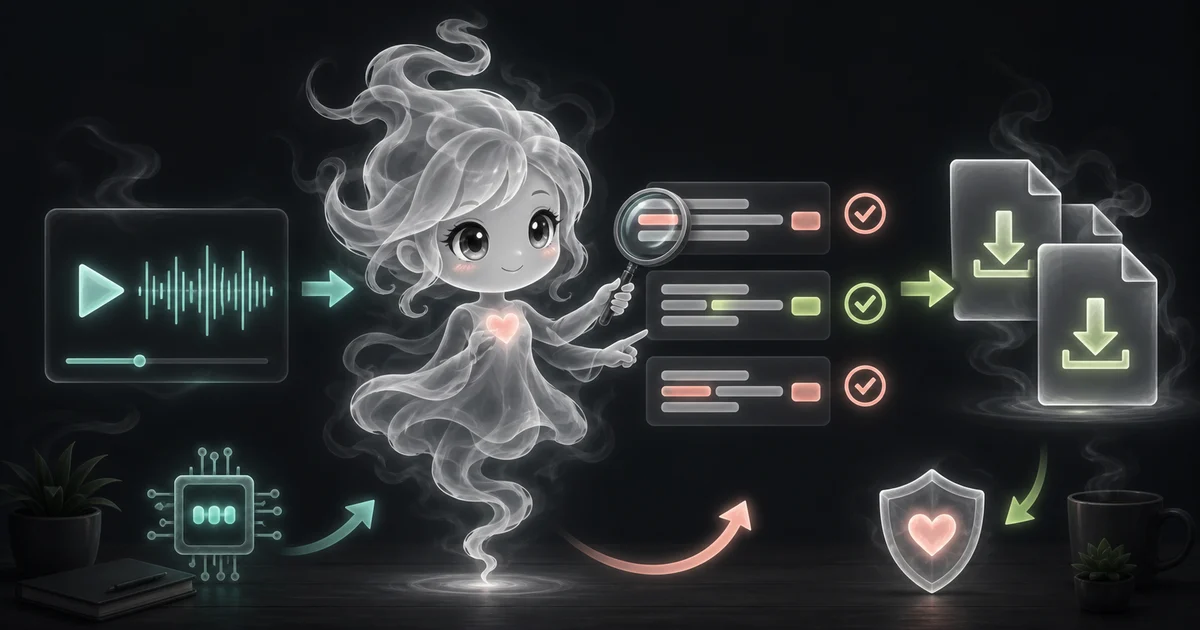
The Audio and Video Transcriber creates a draft transcript from one permitted recording. Mediabunny reads the local container in five-minute sections, while a pinned Whisper Tiny model turns 16 kHz audio into timestamped text inside a separate browser worker.
The local recording is decoded in a browser worker and never uploaded to Access Free Tools. The selected pinned model files download only after you start transcription.
Mediabunny checks the container and audio codec before the speech model downloads. Supported containers can still fail when the current browser cannot decode the audio track inside them.
How to read the result
Start with a short, clear recording. Click each timestamp around uncertain text, correct the words, and export only after checking important details.
- A timestamp marks the model segment, not a word-perfect edit point. Click it and listen around the boundary before moving captions in an editor.
- TXT contains the transcript without caption syntax. SRT and WebVTT preserve start and end times for video players and editors.
- The tool publishes each completed five-minute section immediately. A later failure does not erase earlier text.
- A repeated five-second edge helps Whisper keep words near a block boundary. The browser removes matching repeated words and keeps timestamps moving forward.
- English uses a pinned timestamped Whisper Tiny English model. Auto and other languages use the pinned multilingual model.
- WebAssembly is the dependable q8 route. WebGPU can help on compatible Chromium devices, but long speech workloads can still use substantial browser memory.
- No audio, video, transcript, filename, or language choice is sent to Access Free Tools. The selected model files are fetched from Hugging Face after you start.
- Treat every transcript as a draft. Names, numbers, dates, accents, specialist words, crosstalk, music, and quiet speech need a listening check.
Common mistakes to avoid
The safest way to use the result is to compare it with the original input and think about the real task you are doing.
- Do not transcribe a private meeting, call, class, interview, or copyrighted recording without permission.
- Do not assume a smooth sentence was actually spoken. Whisper can create plausible text when audio is unclear or silent.
- Do not trust names, prices, account numbers, measurements, dates, or quotations without listening again.
- Do not label speakers from this output. Version one does not perform speaker diarization.
- Do not close or refresh the tab before downloading work you want to keep. Access Free Tools does not store it.
- Do not start with WebGPU just because it is available. Compatibility mode is the safer first choice for long recordings.
- Do not rename a file extension and expect the codec to change. Convert unsupported audio to a real MP3 or WAV file.
- Do not describe Auto as guaranteed language detection. It is the multilingual model making a best-effort language choice.
Research and references
These primary sources define the media reader, pinned Whisper models, browser runtime, known accuracy limits, and experimental WebGPU boundary.
- OpenAI Whisper: model card, accuracy limits, and license
- ONNX Community: pinned timestamped Whisper Tiny English model
- ONNX Community: pinned timestamped multilingual Whisper Tiny model
- Hugging Face: Transformers.js browser inference
- Transformers.js: WebGPU browser guidance and limitations
- Mediabunny: browser media reading and decoded audio samples
Worked examples for Audio and Video Transcriber
Editable timestamped text plus TXT, SRT, and WebVTT downloads
Caption segments appear as each five-minute block finishes
The multilingual Whisper Tiny model produces a timestamped draft for manual review
The completed partial transcript remains editable and downloadable
FAQ in plain language
Does the transcriber upload my audio or video?
No. The selected file, decoded audio, transcript, filename, and language choice stay in this browser tab. They are not uploaded to Access Free Tools. The pinned model files download from Hugging Face only after you start transcription.
Which audio and video files can I transcribe?
The tool can inspect MP3, WAV, M4A or AAC, FLAC, OGG or Opus, MP4, MOV, WebM, and MKV containers. The audio codec inside the file must also be decodable by your current browser. An unsupported codec is rejected before the model download.
What do the main Audio and Video Transcriber inputs mean?
Choose the local recording, then select its dialogue audio track when several tracks are present. English uses the smaller English model; Auto or a named non-English language uses the multilingual model. WebAssembly is the compatibility choice, while WebGPU is an optional beta path on supported devices.
What are the file and recording limits?
The beta accepts one file up to 250 MB and 60 minutes. Desktop is recommended above 15 minutes because decoding and speech recognition use device memory and processor time.
Which model does the browser transcriber use?
English uses the pinned onnx-community Whisper Tiny English timestamped model. Auto and named non-English choices use the pinned multilingual timestamped model. Both use quantized browser files and run through Transformers.js.
How should I read the Audio and Video Transcriber result?
Treat the timestamped text as an editable first draft, not a certified transcript. Click a timestamp to compare each important section with the local recording before copying or exporting it.
What should I double-check before trusting the Audio and Video Transcriber transcript?
Check names, numbers, dates, accents, technical terms, overlapping voices, quiet speech, music, and noisy sections. Whisper can mishear speech or produce plausible words that were not spoken.
Related tools
- Text to Speech MP3 GeneratorTurn permitted text into a downloadable MP3 directly in your browser.
- Image to Text OCR ToolCopy text from screenshots, labels, receipts, and clear document images without uploading the image.
- Language DetectorGuess the language of pasted text with browser-side language detection.
- Text SummarizerSummarize pasted notes into a browser-generated draft.
Keep exploring
If this guide is close but not exact, these links keep you near the same kind of problem.
- AI ToolsBrowse the full category for related tools that help with the same job.
- All free toolsSearch the complete Access Free Tools library by task, category, or tool name.
- All tool and utility guidesFind more plain-language examples, logic notes, mistakes, and result explanations.
- Free tool resourcesStart here when you are not sure which tool page fits.
Privacy and local transcription
The browser reads the local media in bounded sections and runs only the selected pinned Whisper Tiny model. The file, decoded audio, transcript, filename, and language choice are not uploaded to Access Free Tools, and the complete workspace is masked from Microsoft Clarity.
Download a partial transcript when a long job matters. Check names, numbers, dates, quotations, specialist words, and unclear speech against the local recording before sharing captions or text.